Installation
Your license includes a variable font in TTF, WOFF2 and WOFF, plus 29 static fonts. Install the TTF files on your computer and use WOFF2 on the web. At 9 pt the font is dimensionally exact: one em equals the 0.125″ MICR character pitch.
Download everything from your account page. The Downloads card lists your license files and has the standard font, with every axis at zero, in each format. License keys and receipts are under License keys & downloads at the top of the page.
The EULA sets out what each license tier allows, from in-house printing to building the font into your own software.
Calibrate to your printer
Printers don't print alike. One lays down heavy strokes, another spaces characters a little wide. The calibration sheet prints the same MICR line at a range of settings, one axis per page, so you can see which setting your printer gets right. It is on your account page, stamped with your name.
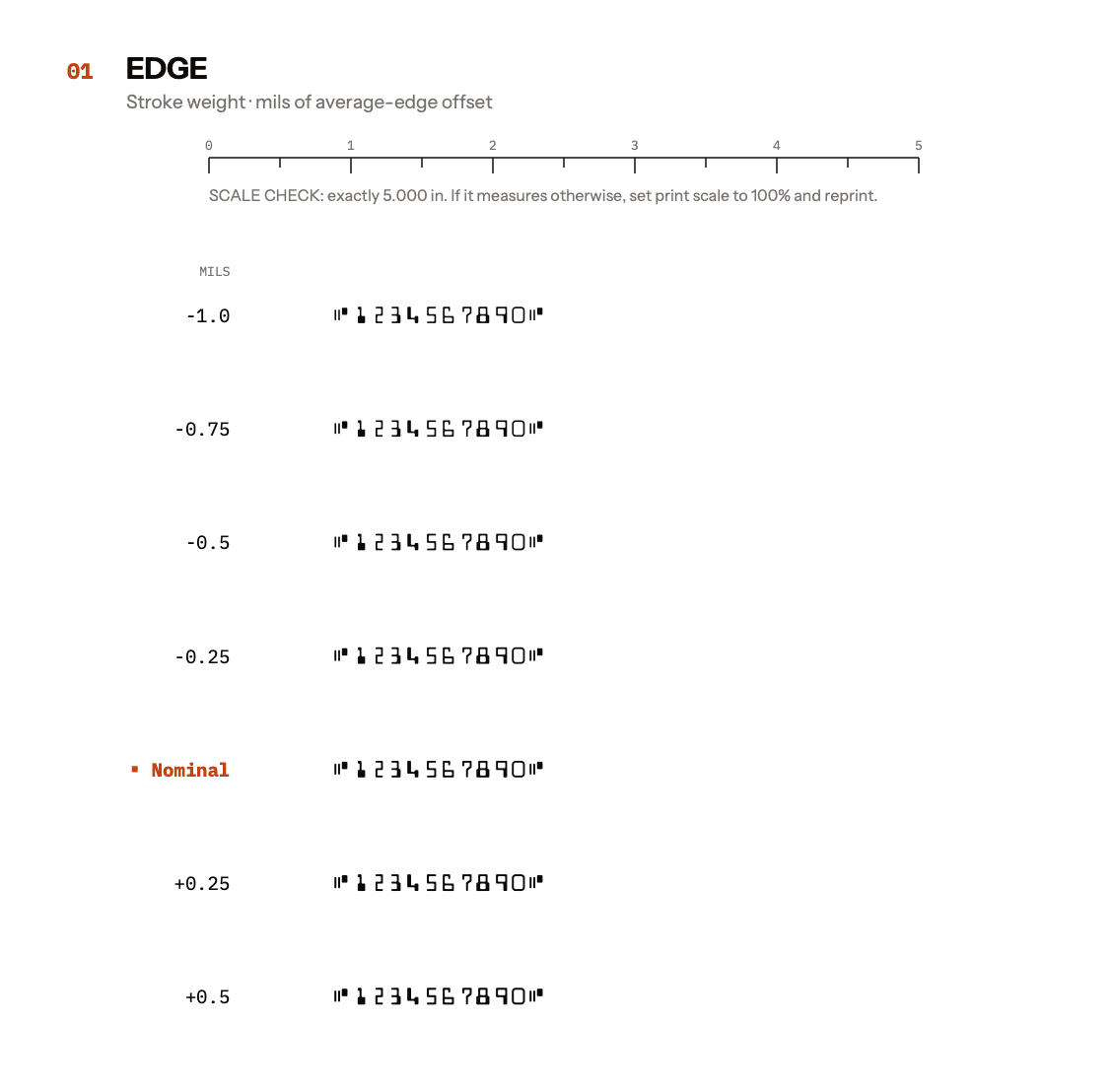
- Print the sheet on the printer, toner and paper you'll use for checks, in one print run.
- Measure the ruler at the top of each test page. It should be exactly 5 inches. If it isn't, your print dialog is scaling the page. Set the scale to 100% and print again.
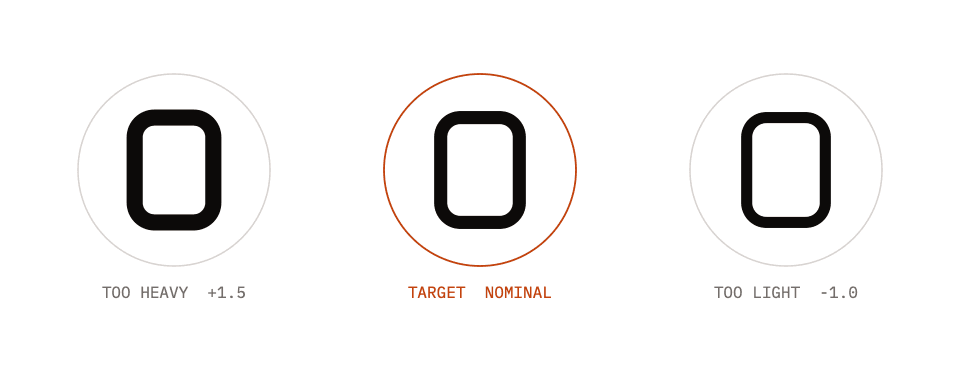
- On each page, circle the row that reads cleanest. A MICR verifier or your bank's test service will judge best. Without one, compare the rows under a loupe against the three zeros on the last page.
- Install the static font named after your row, such as
MICRtype-E13B_E+0.5.ttf, or enter the value as a variable-font axis setting. If you circled a row on more than one page, or a row with no static font (tracking ±3, skew ±0.75), cut a custom instance.
Cut a custom instance
A custom instance is a static font cut at any mix of edge, tracking and skew, such as the edge row from one page and the tracking row from another. On your account page, set each slider to the row you circled, choose a format and select Generate & download.
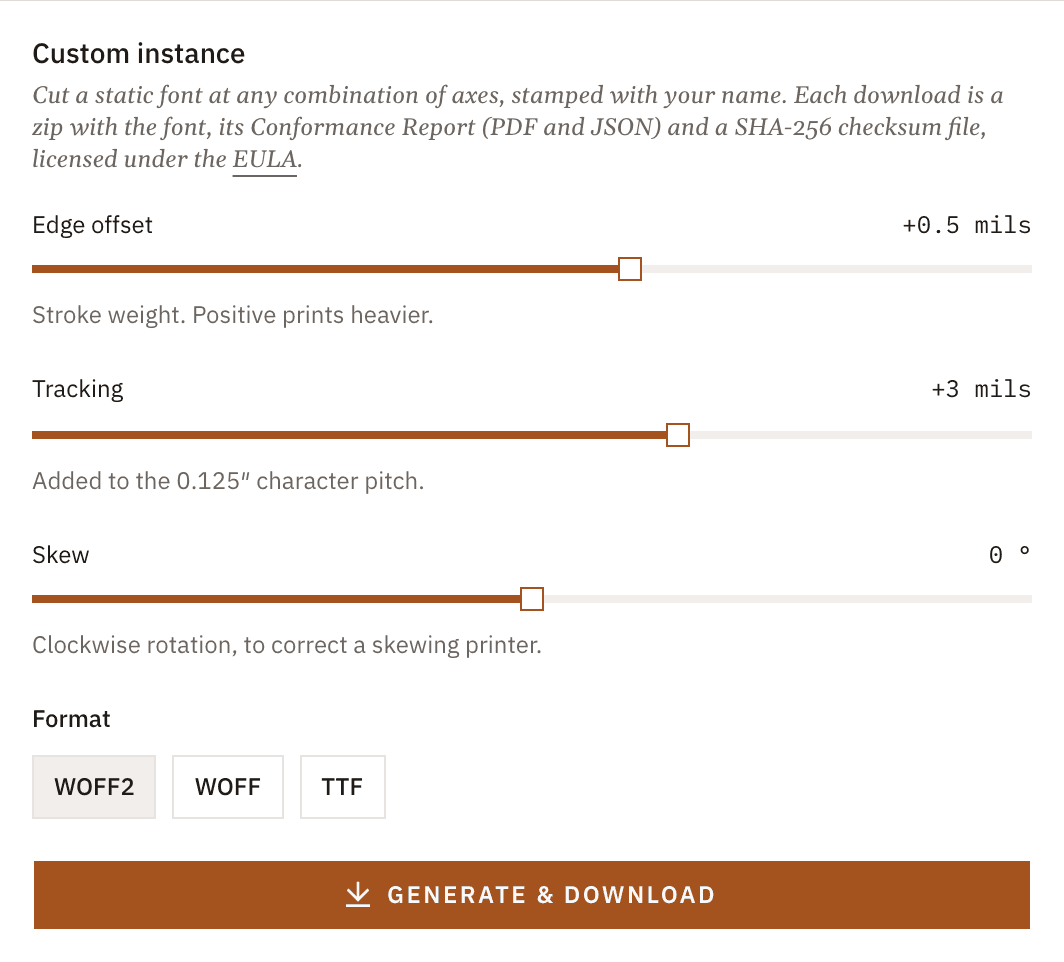
You get a zip with the font, its conformance report in PDF and JSON, and a SHA256SUMS file. The font carries your name as the licensee. Cut as many instances as you need.
Variable axes
The variable font has the same three axes as the calibration sheet. Set them in any app that supports variable fonts.
- EDGE −1.0 … +1.5 mils
- Moves every average edge in or out. Use it when strokes print too heavy or too light.
- TRAK −10 … +10 mils
- Added to the 0.125″ character pitch. Use it when characters drift along the line.
- SKEW −1.5° … +1.5°
- Rotates each character about its center. Set +X° to correct a printer that skews −X°.
On the web, set them with CSS:
.micr {
  font-family: "MICRtype E13B";
  font-size: 9pt;
  font-variation-settings: "EDGE" 0.5, "TRAK" 3, "SKEW" 0;
}
Typing the MICR symbols

Use the Unicode codepoints. They are the only mapping where the text itself means the right thing: a field holding ⑆123456789⑆ is a routing number in any font, while A123456789A is not. Older templates still work, because each symbol also answers to three keys, so ABCD, abcd and qwer all type MICR symbols.
| Symbol | Unicode | Keys |
|---|---|---|
| Transit ⑆ | U+2446 | A · a · q |
| Amount ⑇ | U+2447 | B · b · w |
| On-Us ⑈ | U+2448 | C · c · e |
| Dash ⑉ | U+2449 | D · d · r |
Map by codepoint, not by name
The official Unicode names for On-Us and Dash are swapped, and Unicode names can never change. U+2448 is named OCR DASH but is the On-Us symbol. U+2449 is named OCR CUSTOMER ACCOUNT NUMBER but is the Dash. Unicode publishes correction aliases (MICR ON US SYMBOL, MICR DASH SYMBOL), but any code or lookup table that goes by the original names will swap the two. Use the codepoints in the table above.
Confirm the font loaded before printing
Most systems ship fallback glyphs for U+2446 to U+2449. If the font fails to load, a MICR line written in Unicode still prints, with plausible symbols rather than empty boxes. Those symbols are not to spec and will not read. On the web, check that the font loaded and block printing if it did not:
let ready = false
try {
  const faces = await document.fonts.load('9pt "MICRtype E13B"', "⑆⑇⑈⑉")
  ready = faces.length > 0
} catch {
  // A failed download rejects.
}
if (!ready) {
  // Block printing.
}
Use load(), not document.fonts.check(). check() also returns true when no @font-face matches the name, so a missing font passes it.
Conformance report
Every font file you download comes with a conformance report in PDF and JSON. It audits the compiled outlines against ANSI X9.100-20: character shapes, stroke widths, edge positions, dimensions, pitch and character mapping. The first page gives the result and the file it covers. The pages after it list every check with its measured value, the nominal value, the tolerance and the clause it comes from.
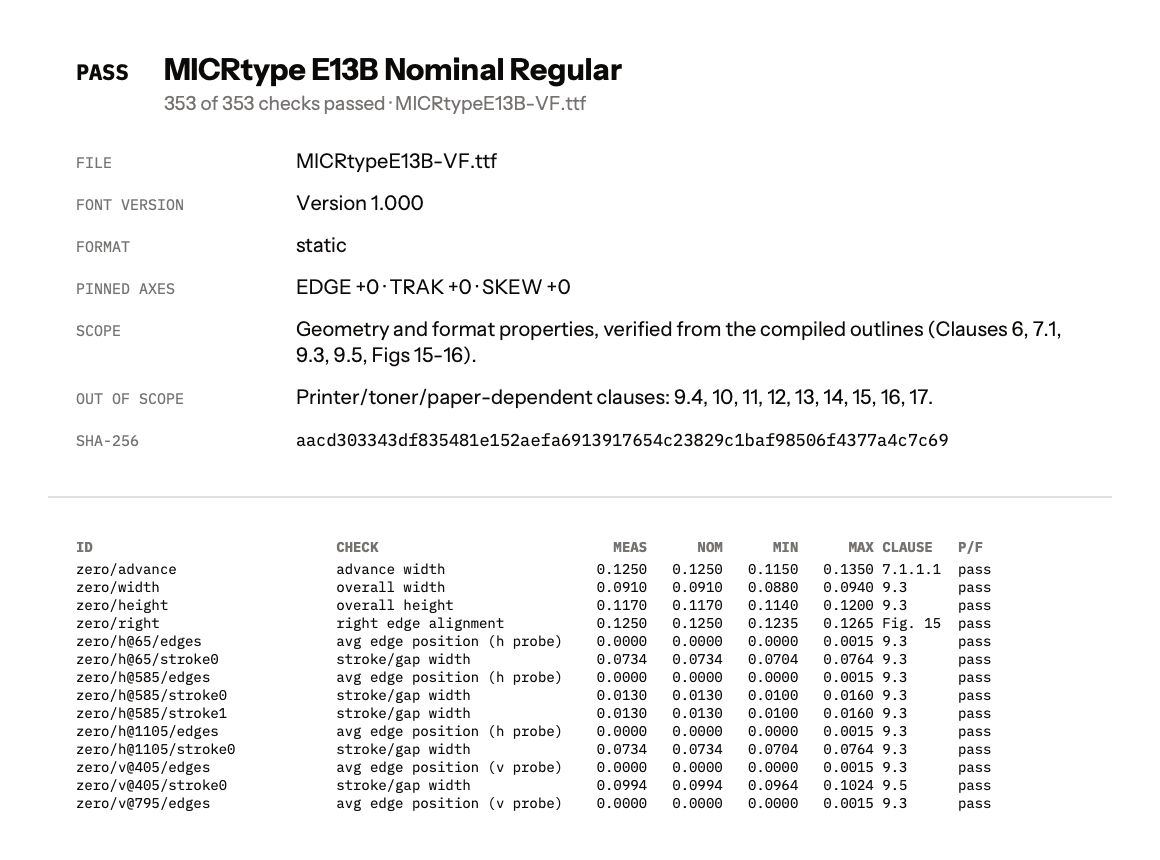
The report doesn't cover anything that depends on your printer, toner or paper, and the signal levels in its appendix are predictions from a model, not measurements. It is Meridian's own test result, not a certification. Test a printed check with your bank before you rely on it.
The report names the SHA-256 hash of the file it audited. To confirm you have that file, unzip the download and run this in the folder:
shasum -a 256 -c SHA256SUMS
Every line should end in OK. On Linux, use sha256sum -c SHA256SUMS.